Posts

DYNAMICS 365 LEVEL UP BROWSER EXTENSION - PART 3

Image
In another posts, we saw what actions can be done in the Forms and Navigation sections of DYNAMICS 365 LEVEL UP BROWSER EXTENSION In this post, we will see the other actions that can be done in the Dynamics 365 Level up Browser Extension . VIEW NEW WINDOW This option will display the current system/personal view in a new window QUICK FIND FIELDS This option will display the search fields of the quick find view for the current entity ...
DYNAMICS 365 LEVEL UP BROWSER EXTENSION - PART 2 - NAVIGATION

Image
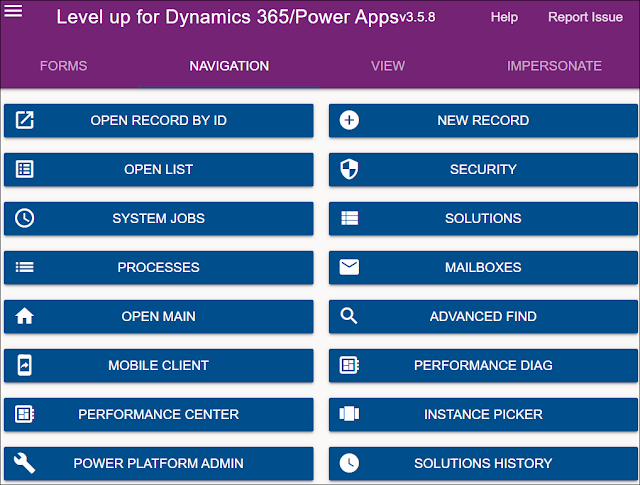
In another post, we saw what actions can be done in the Forms section of DYNAMICS 365 LEVEL UP BROWSER EXTENSION In this post, we will see what actions can be done in the Navigation section of the Dynamics 365 Level up Browser Extension . OPEN RECORD BY ID This option will open a record in a new tab based on the entity logical name and record GUID you enter NEW RECORD This option will open a new record form in a new tab based on the entity logical name you enter OPEN LIST This option will open the list view page of ...

DYNAMICS 365 LEVEL UP BROWSER EXTENSION - PART 1 - FORMS

Image
Level up for Dynamics 365/Power Apps is a browser extension in Edge, Google Chrome, and Firefox that can help users to perform advanced actions related to Dynamics 365. It is a free and very useful tool that can be downloaded from the browser extension web store. It contains a bunch of features that we will be listing and explaining them in a series of posts around the Level up extension In this post, we will see a brief summary about the Forms actions that can be done in the Level up for Dynamics 365/Power Apps . LOGICAL NAMES This option will show logical names for fields, tabs, web resources and sub-grids on the form CLEAR LOGICAL NAMES This option will remove the logical names of fields, tab...

DYNAMICS 365 CONVERT SOLUTION COMPONENTS FROM UNMANAGED TO MANAGED

Image
You are working on a testing / production environment and you figure out that the imported solution is unmanaged while you wanted it to be managed. So, what you do to switch it to managed? Is there a way to transform the solution and its components to managed? Yes there is! In this article, we will see how to change the solution and its components from unmanaged to managed For the sake of this post, I will work with a custom field and web resource to change them from unmanaged to managed in a target environment. The below steps have to be followed to achieve this In the target Environment, delete the unmanaged solution. Yes, don't be scared! this will not delete its components because they are unmanaged as well The unmanaged components...

DYNAMICS 365 VIEW FILTER ERROR “There was an error in showing this condition”

Image
In Dynamics 365, you opened a view filter criteria and an error is displayed in one of the conditions. In this article, we will see how to solve this error in the filter of a Dynamics 365 view. PROBLEM The following error message appears in the filter of a Dynamics 365 view There was an error in showing this condition If you click on the information icon, more details will be displayed REASON The Searchable property of the field having the issue is set to No SOLUTION Open the field properties and set the Searchable property to Yes If you reopen the filter of the view, the condition will be normally displayed without error Hope This Helps!

DYNAMICS 365 FORM NOTIFICATION AND FIELD NOTIFICATION

Image
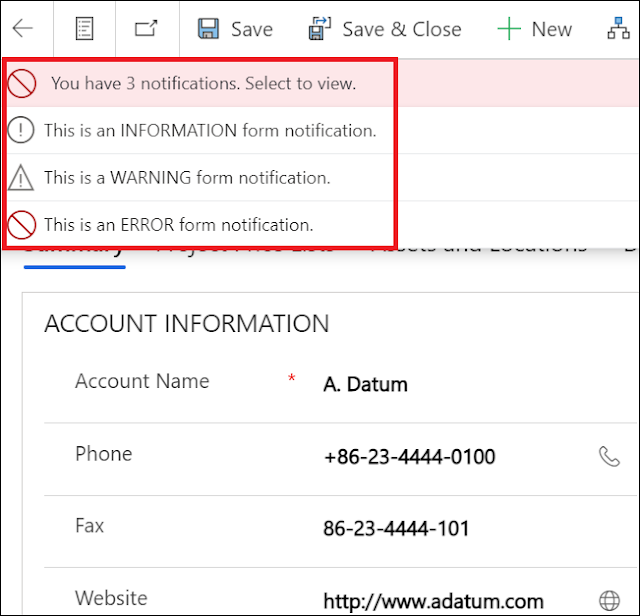
In a previous post, we saw how to display a global notification that lives across the Model driven App . In Dynamics 365 form, you can display two types of notifications: Form Notifications and Field Notifications . In this article, we will see how to display Form Notifications and Field Notifications within an entity form using JavaScript . The form notification will be displayed on top of the form and the setFormNotification function is used to display form level notifications function displayFormNotification(context) { var formContext = context.getFormContext(); formContext.ui.setFormNotification("This is an INFORMATION form notification.", "INFO", "InformationNotificationId"); formCon...